
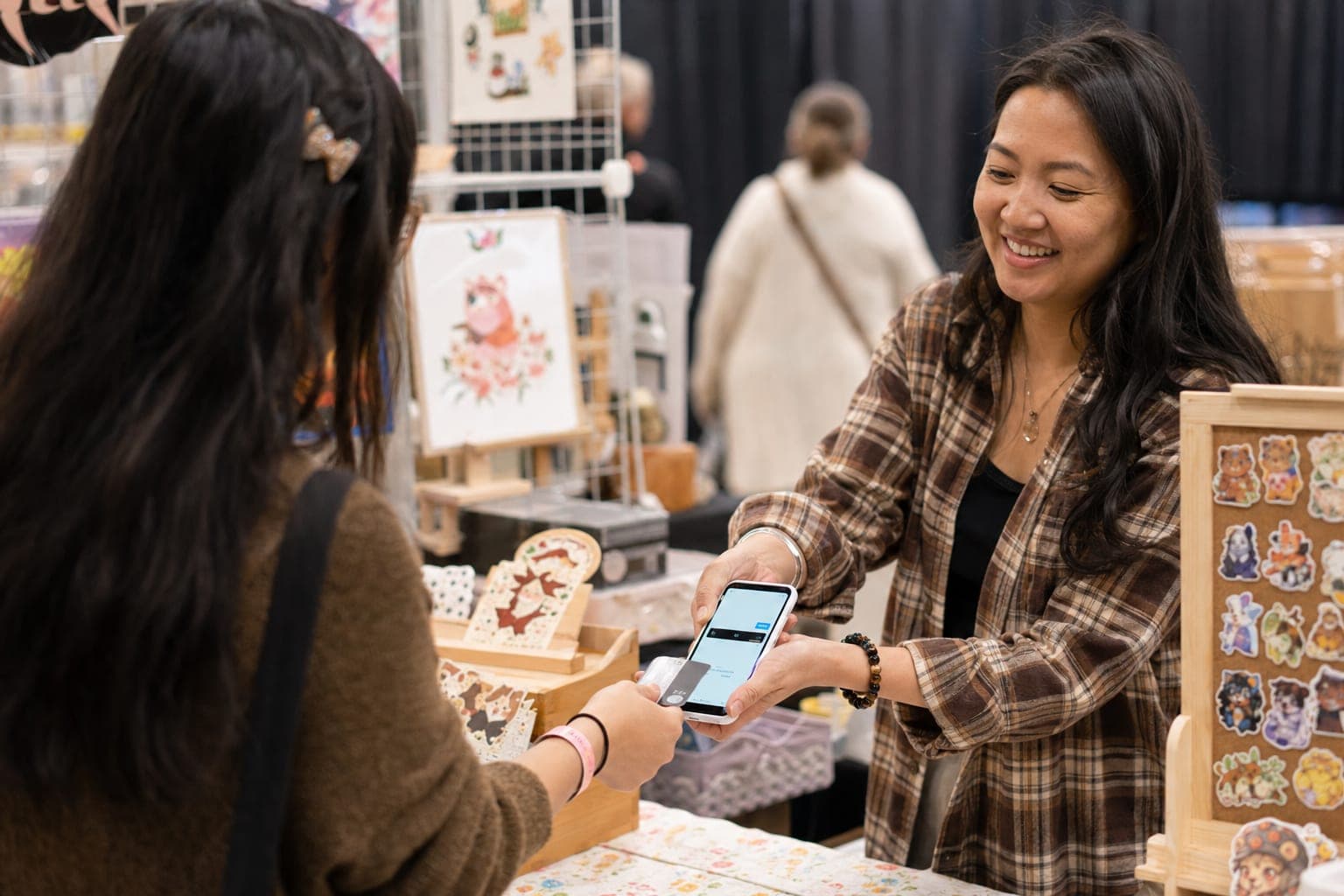
The best way to take card payments at craft fairs is to physically tap or dip the card on a phone-as-terminal or a small Bluetooth reader, because an in-person contactless read is the fastest, most secure, and lowest-fee method available to a booth vendor. Everything else — keying a number by hand, texting an online link — costs you more per sale and slows your line. This guide covers your two real hardware options, compares the actual processing fees, and is honest about what happens when the venue WiFi dies mid-transaction.
If you want the full picture on cash, checks, invoicing, and everything beyond cards, start with the pillar guide on how to take payments at craft shows. This post zooms in on the card side specifically.
Your Two Real Options: Phone-as-Terminal vs. a Dedicated Reader
Strip away the marketing and there are only two ways to physically read a card at a booth:
- Phone-as-terminal (no hardware). Square's Tap to Pay on iPhone turns the phone already in your pocket into a contactless terminal. Nothing to buy, charge, or lose. It accepts tap cards, Apple Pay, and Google Pay right on the screen. Requirements: an iPhone XS or newer running a current iOS version.
- A dedicated Bluetooth reader. The Square Reader for contactless and chip is a standalone tap-and-dip puck that pairs to a phone or tablet over Bluetooth. This is your answer if you run Android or an older iPhone that can't run Tap to Pay.
Rule of thumb: iPhone XS or newer → use Tap to Pay, buy nothing. Android or an older phone → get the contactless and chip reader. There is no third option worth the trouble at a craft-fair table.
Both run at the same in-person rate, so the choice is about your device, not your margins.
Tap vs. Chip vs. Swipe: Which Is Fastest and Most Secure
How the card gets read matters more than most vendors think. Three methods, in order of speed and security:
- Tap (contactless / NFC) — fastest and most secure. The customer holds their card or phone near the reader for a second. No handoff, no fumbling with a slot. Lead with this.
- Chip (EMV insert) — secure but slower. The card sits in the reader for a few seconds while it processes. A fine fallback for cards without a tap symbol.
- Swipe (magstripe) — the least secure, and being phased out. Only reach for it when tap and chip both fail.
Leading with tap is the single easiest way to move your line faster. When you tell someone "just tap it here," most already know the motion — it's the same one they use at the grocery store. For more tactics, see 5 ways to speed up convention booth checkout.
Processing Fees Compared: What Each Method Actually Costs
This is where the "best way" gets concrete. A physical, in-person read is always the cheapest way to run a card. Here is how Square's published rates stack up:
| Method | Rate | Fee on a $40 sale |
|---|---|---|
| In-person tap / dip / swipe | 2.6% + 15¢ | ~$1.19 |
| Online / invoice / QR checkout | 2.9% + 30¢ | ~$1.46 |
| Manually keyed (card-not-present) | 3.5% + 15¢ | ~$1.55 |
The gap looks small on one sale, but multiply it across a busy weekend. On 100 card sales averaging $40, choosing a physical tap over hand-keying every card saves you roughly $36 — real money that came from nothing but picking the right entry method. You can confirm the current numbers on Square's fees page.
The takeaway: never key a card number by hand if you can tap or dip it. Hand-keying is both the most expensive rate and the one most likely to be flagged as fraud risk. If you are weighing which processor to standardize on across your events, we compare the field in the best payment processor for craft shows.
Accepting Cards When the WiFi Drops: Offline Capture and Who Eats the Risk
Convention centers and fairgrounds are notorious dead zones. Cell signal buckles under a few thousand phones, and the "free venue WiFi" collapses by 10 a.m. So what happens to card payments when you lose connection?
Square's offline mode lets you keep taking cards. It stores an encrypted payment locally and processes it once you reconnect. That sounds like a clean save — but read the fine print, because the risk shifts squarely onto you:
- You set a per-transaction cap for offline sales.
- An offline payment expires and cannot be recovered if you do not upload it within 72 hours of reconnecting — and your offline session itself ends after about 24 hours, so you have to reconnect regularly to keep taking them.
- If an offline card is later declined, expired, or disputed, you eat the loss. Square already handed the customer their goods on your authorization.
That is a fair trade for a $25 enamel pin. It is a genuinely bad trade for a $400 commission. The sensible move is to set your offline cap low — enough to cover typical impulse buys, not enough to expose you to a big hit — and take a deposit or an alternate method on high-ticket items.
Offline capability is also exactly why your ordering layer needs to keep working when the processor can't. A booth app that freezes the second the bars disappear will cost you sales no fee schedule can recover. We cover that failure mode in why your booth app needs to work offline.
Speed at the Table: Cutting Seconds Off Every Card Sale
Fees are a background cost; a slow line is a visible one. Every extra ten seconds per sale is a customer at the back of your booth deciding to walk. A few habits that add up:
- Pre-load the total before you say the price. Have the amount on screen so the customer can tap the instant they decide.
- Say the magic words: "Tap, insert, or swipe — whatever's easiest." It removes the pause where they wonder what to do.
- Skip the receipt prompt unless asked; offer text or email, or just skip it.
- Keep the phone or reader charged and awake. A reader that has to wake up and re-pair over Bluetooth is dead time in front of a paying customer.
- Round your prices so cash and card both settle fast and you are not counting coins.
One Thing Cards Change That Cash Doesn't: The Tax Trail
Worth knowing before you go card-first: accepting cards creates a paper trail cash does not. When a customer pays by credit, debit, or gift card, the processor issues a Form 1099-K reporting your gross card sales — and for payment-card transactions there is no minimum dollar threshold. Even a single $20 card sale gets reported. (That is separate from the higher $20,000-and-200-transaction threshold that applies to third-party payment apps.) This is not a reason to avoid cards; it is a reason to track every event's numbers cleanly so your reported card totals and your own books match at tax time.
Where Shipyie Fits: The Checkout Layer, Not the Processor
To be clear about what Shipyie does and doesn't do: Shipyie is not a payment processor and never holds your money. It runs the kiosk, QR, and offline order layer on top of your connected Square account. Card charges flow through Square at Square's rates — the 2.6% + 15¢ in-person tap and the rest — with no markup added by us. You pick the card method; the money goes through your processor; Shipyie handles the ordering, shipping-address capture, and per-event P&L around it. If you already run Square, nothing about your card acceptance changes.
The Bottom Line
The best way to take card payments at craft fairs is boringly simple: read the card physically, lead with tap, and use the phone you already own if it supports Tap to Pay. That gives you the lowest fee (2.6% + 15¢), the fastest checkout, and the strongest security in one move. Add a Bluetooth reader only if your device can't tap. Set a conservative offline cap so a WiFi blackout doesn't turn into a chargeback you can't fight. And keep clean per-event records, because cards report every dollar. Get those four things right and card acceptance stops being a cost center and starts being the reason more people say yes at your table.