
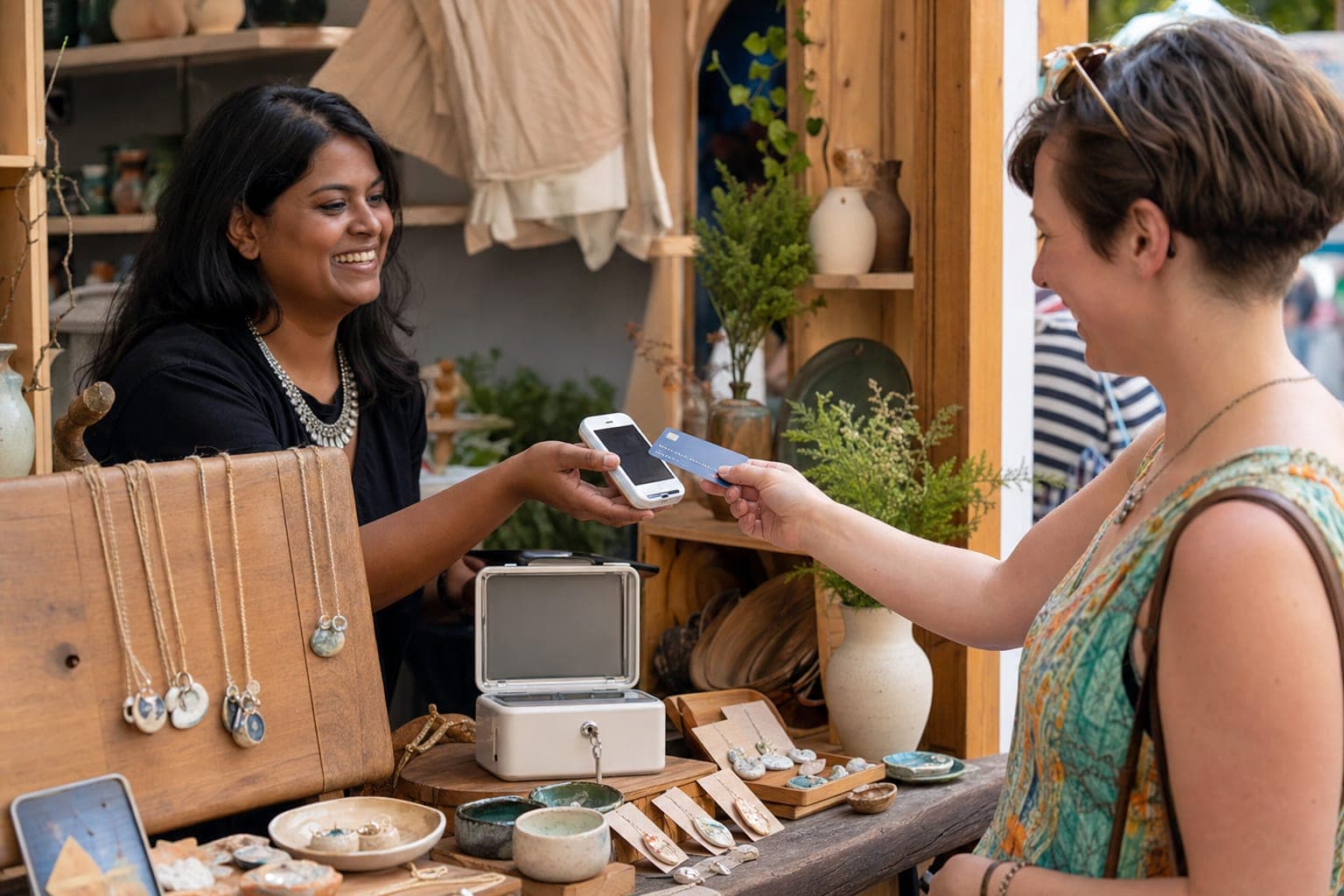
How to take payments at craft shows comes down to three things: take cash, take cards, and have a backup for when the venue wifi dies. That is the whole job. A customer who wants your $40 print but only brought $12 in cash will walk away unless you can run their card, so cash-only tables leave real money on the floor. This guide walks a first-time booth vendor through every craft fair payment method, what each one actually costs, how to keep your line moving, and the tax paperwork nobody warns you about. No hype, no upsells you do not need.
We built Shipyie because we sell at conventions ourselves, so this is written the way we would explain it to a friend setting up their first table. One thing up front: Shipyie is not a payment processor and never touches your money. It is the order-taking, QR checkout, offline-capture, and post-show shipping layer that sits on top of a real processor like Square. We will be clear about where that line is throughout.
Start With the Basics: Cash Still Matters
Cards get the headlines, but cash never went away at markets. Some customers only carry cash on purpose (it is their spending-limit trick), plenty of buyers still prefer it, and cash sales clear instantly with zero processing fee. Skipping cash means turning away paying customers for no reason.
The thing that trips up new vendors is making change. Show up with a proper float:
- Total float: roughly $100–$200 in a small lockbox or zippered pouch.
- Weight it toward singles: about $50–$60 of that in $1 bills. You run out of ones fastest.
- Get a roll of quarters if any of your prices end in $.50 or you add tax on top.
- Keep big bills separate. Move $50s and $100s out of the till and into a pocket or a locked bag as they come in, so a grab-and-run only gets the small stuff.
Cash-handling rule of thumb: count your float before doors open and again at teardown. The difference minus your recorded cash sales is your shrinkage. If that number is not roughly zero every show, tighten up how you handle the till.
Card Readers Explained: Tap, Chip, and Swipe
A card reader is a small device that plugs into or pairs with your phone or tablet and turns it into a checkout terminal. There are three ways a card gets read, and they matter for both speed and cost.
- Tap (contactless / NFC): The customer taps a card, phone, or watch. Fastest and most secure. Lead with this.
- Chip (EMV): The customer inserts the card and waits a beat. Secure, slightly slower than tap.
- Swipe (magstripe): The old slide. Least secure and being phased out, but a fine fallback for a worn card that will not read any other way.
Accepting cards is not a nice-to-have anymore. Guides for market sellers like Fit Small Business have long pointed out that vendors who add card acceptance capture spontaneous, higher-ticket purchases that simply never happen on a cash-only table. The point is not a magic percentage; it is that every card you cannot run is a sale you hand to the booth next to you. If you are deciding which device and account to open, our deep dive on the best payment processor for craft shows compares the main options for booth sellers.
Mobile Card Processing and Fees, Compared Honestly
Every card payment costs you a small cut. The trick is knowing what is normal so nobody overcharges you. For small businesses, card processing fees generally land between 1.5% and 3.5% per transaction, and the exact number depends on the card type (rewards cards cost more), the network, and how the card is entered.
There are two pricing models you will hear about:
- Flat-rate (blended): One simple percentage plus a fixed cents fee, the same for every card. Easy to predict. Best for most vendors.
- Interchange-plus: You pay the raw network cost plus a fixed markup. Can be cheaper at high volume, but the statements are a headache. Skip it until you are doing serious numbers.
Square is the most common flat-rate choice at markets. Here is how the rates break down, from Square's pricing page:
| How the card is taken | Square rate | When it applies |
|---|---|---|
| Tap / dip / swipe (in person) | 2.6% + 15¢ | Free plan, most booth sales |
| Manually keyed (card-not-present) | 3.5% + 15¢ | Typing a card number by hand |
| Online / invoice / QR checkout | 2.9% + 30¢ | Emailed invoices, self-serve links |
Two takeaways. First, always tap or dip when you can. Keyed-in and online rates cost more, so a physical tap at the booth is the cheapest way to run a card. Second, that flat rate already bundles interchange and network assessments, so you should not see separate "PCI compliance" or "statement" line-item fees on a Square-style account. On a $40 sale, a 2.6% + 15¢ fee is about $1.19 total. That is the cost of capturing a sale you would otherwise lose.
QR Code and Self-Serve Ordering: Clear the Line
When your booth gets three-deep, the bottleneck is not the card, it is you. Self-serve checkout fixes that. You put a QR code on the table; the customer scans it with their own phone, picks their items, and checks out without ever handing you anything. You stay free to talk, restock, and close the next sale.
This is where a layer like Shipyie earns its place: it generates the QR menu and captures the order, then hands the actual charge to your connected processor. It is genuinely one of the fastest ways to take orders when foot traffic spikes. We break down the full setup in QR code ordering: the fastest way to take booth orders, and for the bigger picture there are more tactics in 5 ways to speed up convention booth checkout.
One honest caveat: QR self-checkout usually rides on your processor's online rate (for Square, 2.9% + 30¢), which is a touch higher than an in-person tap. The tradeoff is throughput. When the line is long, moving more people through is worth the extra few cents per sale.
Taking Cards When the WiFi Drops
Convention centers and fairgrounds have famously bad wifi and cell service. This is the single most common way vendors lose sales: the card reader spins forever and the customer gives up. The fix is offline mode (sometimes called offline payments), which lets you accept a card, store it encrypted, and process it once you reconnect.
It is a lifesaver, but read the fine print, because the risk shifts to you. Per Square's offline mode documentation:
- You set a per-transaction limit anywhere from $1 up to $50,000 — keep it modest for strangers.
- You must reconnect and upload within 24 to 72 hours (depending on your device), or the payments expire and cannot be retrieved or reprocessed.
- You are responsible for any offline payment that is later expired, declined, or disputed. If the card was dead, you eat that sale, and Square will not chase the customer for you.
So set a sensible cap, get back online the same day, and treat offline mode as a bridge for outages, not your everyday setup. There is a related but separate idea worth understanding: an order-capture layer can record the order offline even when the payment rail is down, so nothing gets lost while you are disconnected. We explain why that matters in why your booth app needs to work offline.
The offline-payment gotcha nobody mentions: a card you accept offline can still bounce, and that risk sits with you, not the processor. Keep your offline limit low for strangers and reconnect fast.
Speeding Up the Line: Small Moves, Big Difference
Faster checkout means more sales per hour and shorter waits that keep browsers from wandering off. A few habits do most of the work:
- Build a saved catalog. Pre-load your products with prices so checkout is a tap, not typing a dollar amount every time.
- Lead with contactless. Tap beats chip, which beats swipe. Angle the reader toward the customer before they even reach for their wallet.
- Cut the taps. Fewer confirmation screens, no forced email prompt mid-sale. Ask for the email after payment clears, not before.
- Separate paying from shipping. For items you will mail later, take the money now and collect the shipping address as its own quick step, then batch all the labels after the show.
That last point is the whole idea behind post-show fulfillment. You are not packing boxes at a chaotic booth; you take the order and address, then print batch USPS, UPS, and FedEx labels once you are home. If you have a helper or partner working the table for a cut, sort out the money split cleanly up front. Our guide on running commissions at a convention table covers that.
Taxes and Paperwork: Sales Tax and the 1099-K
Getting paid is step one. Keeping the taxman happy is step two, and it is not optional.
Sales tax. Most states require you to collect sales tax on goods sold at a physical event, which usually means registering for a permit (sometimes a temporary one for a single show). Rates and rules vary by state and even by city, so check the specific event's location before you go. Good POS software applies the right rate automatically and logs it, which saves you a spreadsheet nightmare at filing time.
The 1099-K. This one surprises people, because the rule depends on how you got paid:
| You got paid via | 1099-K reporting threshold |
|---|---|
| Card processor (Square, direct card sales) | No minimum. Even one card sale triggers a 1099-K |
| Payment app / marketplace (a TPSO) | Over $20,000 AND more than 200 transactions |
If customers pay you directly by credit, debit, or gift card, the IRS says your processor issues a Form 1099-K regardless of amount, with no minimum threshold. Take a single $5 card sale and you will get the form. For third-party settlement organizations like payment apps and online marketplaces, the current federal threshold is over $20,000 and more than 200 transactions, after the One, Big, Beautiful Bill reinstated the pre-2021 threshold.
The practical move: keep clean records of every sale, cash included, all year. The 1099-K reports gross sales, so you deduct your booth fees, materials, and shipping against it at tax time. Reconcile it against your own numbers before you file. Vendors selling across state lines should also read our convention vendor sales tax state-by-state guide before the season starts.
Building Your Booth Payment Stack
Here is the mental model that clears up the whole thing. There are two separate jobs, and one tool rarely does both well.
- The payment processor (Square and similar) is the money rail. It reads the card, charges it, takes its cut, deposits your funds, and sends the 1099-K. Its job is the transaction.
- The order-taking layer (this is where Shipyie lives) runs the customer-facing experience on top of that rail: kiosk or QR menu, self-serve checkout, offline order capture, shipping-address collection, per-event profit tracking, and batch shipping labels after the show.
Shipyie does not process payments and never holds your money. It connects to your Square account, so the money still flows through Square at Square's rates (pass-through, no markup from us). What you get on top is the booth workflow: a faster line, orders that survive a dead connection, and a stack of pre-printed shipping labels instead of a shoebox of sticky notes.
A sensible starting stack for a first-timer:
- A cash float, $100–$200, heavy on singles.
- A Square account plus a tap-and-chip reader.
- Offline mode configured with a modest per-transaction limit.
- An order/QR layer if your line gets long or you ship after shows.
- A permit for sales tax in the state you are selling in.
The Bottom Line
Knowing how to take payments at craft shows is not complicated once you separate the pieces. Take cash with a proper float. Take cards by tap or dip, because that is both the cheapest way to run a card (around 2.6% + 15¢ in person) and the way you capture spontaneous, higher-ticket sales that cash-only tables lose. Keep offline mode ready for when the venue wifi dies, and respect the fact that the risk on those cards is yours. Add QR self-checkout when the line gets deep. And keep clean records all year, because your card processor will send a 1099-K no matter how small your sales are.
Do those five things and you are set up better than most veteran vendors. The processor handles the money; a layer like Shipyie handles the line, the offline orders, and the shipping after the show. Pick a processor, order a reader, and go get paid.